In the app
Getting started with Zwipe
Zwipe builds Magic: The Gathering decks by swiping through cards one at a time, instead of typing names into a form.
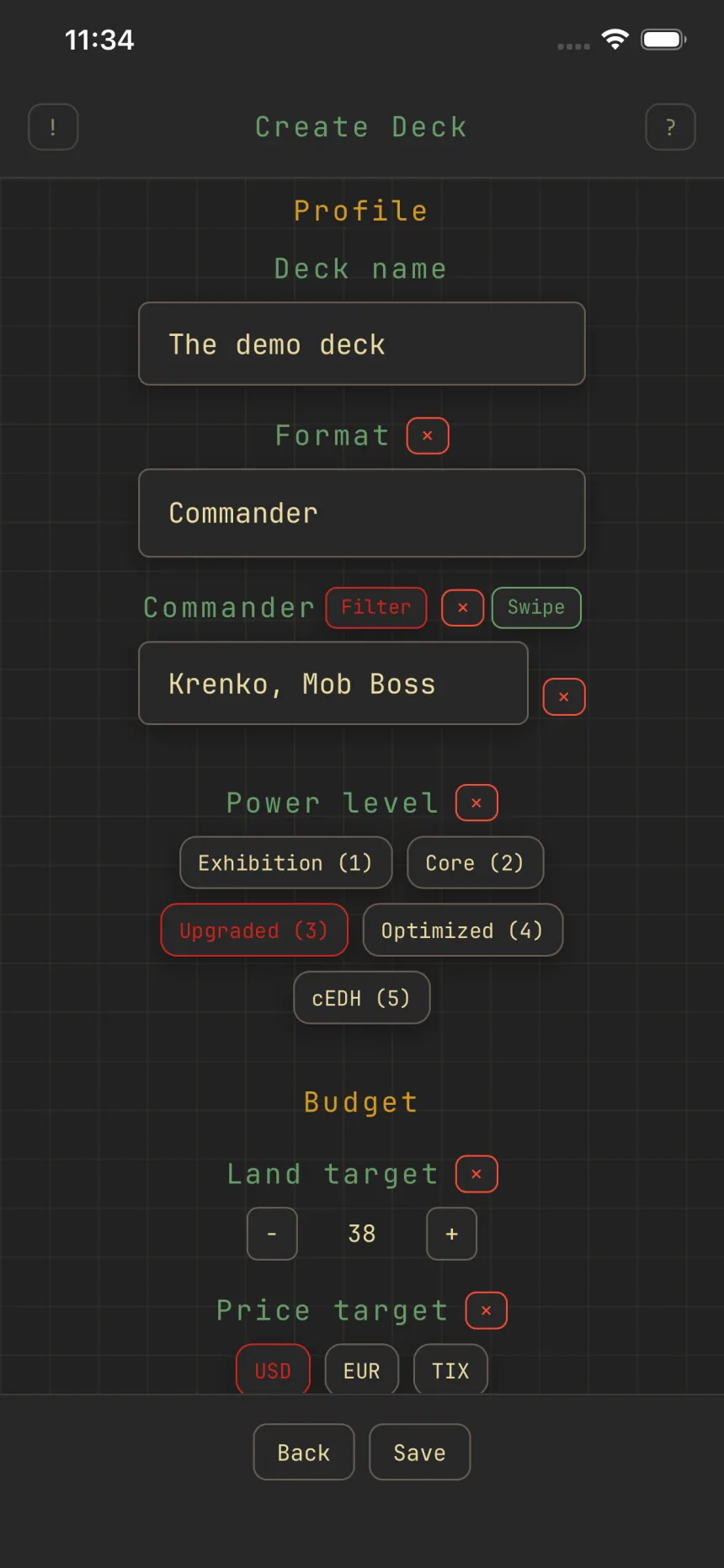
Create a deck
Make a deck, name it, and pick a format. A commander format also unlocks the command-zone fields: commander, and where relevant partner, background, or signature spell.
Build by swiping
Open the deck, tap Cards, then Add, and act on the top card with a flick:
- Swipe right to add the card to your deck.
- Swipe left to skip it.
- Swipe up to send it to your maybeboard.
- Swipe down to undo your last swipe.
Every add saves instantly and syncs across your devices. Skips stick too: swipe left and that card stays out of this deck, even after you close the app. Each deck also keeps your place, so you can hop between decks and pick up where you left off.
Shape the stack
On a commander deck, the Synergy toggle keeps the stack to cards that fit your commander. Filter narrows by color, type, keyword, price, and more. Sorting reorders what you see without changing which cards are eligible.
Review and refine
As the deck grows, the deck view fills with live stats, charts, and a warnings list with one-tap fixes. Trim with the remove flow, set a budget or land target, and import or export any time. Each area has its own guide below.