In the app
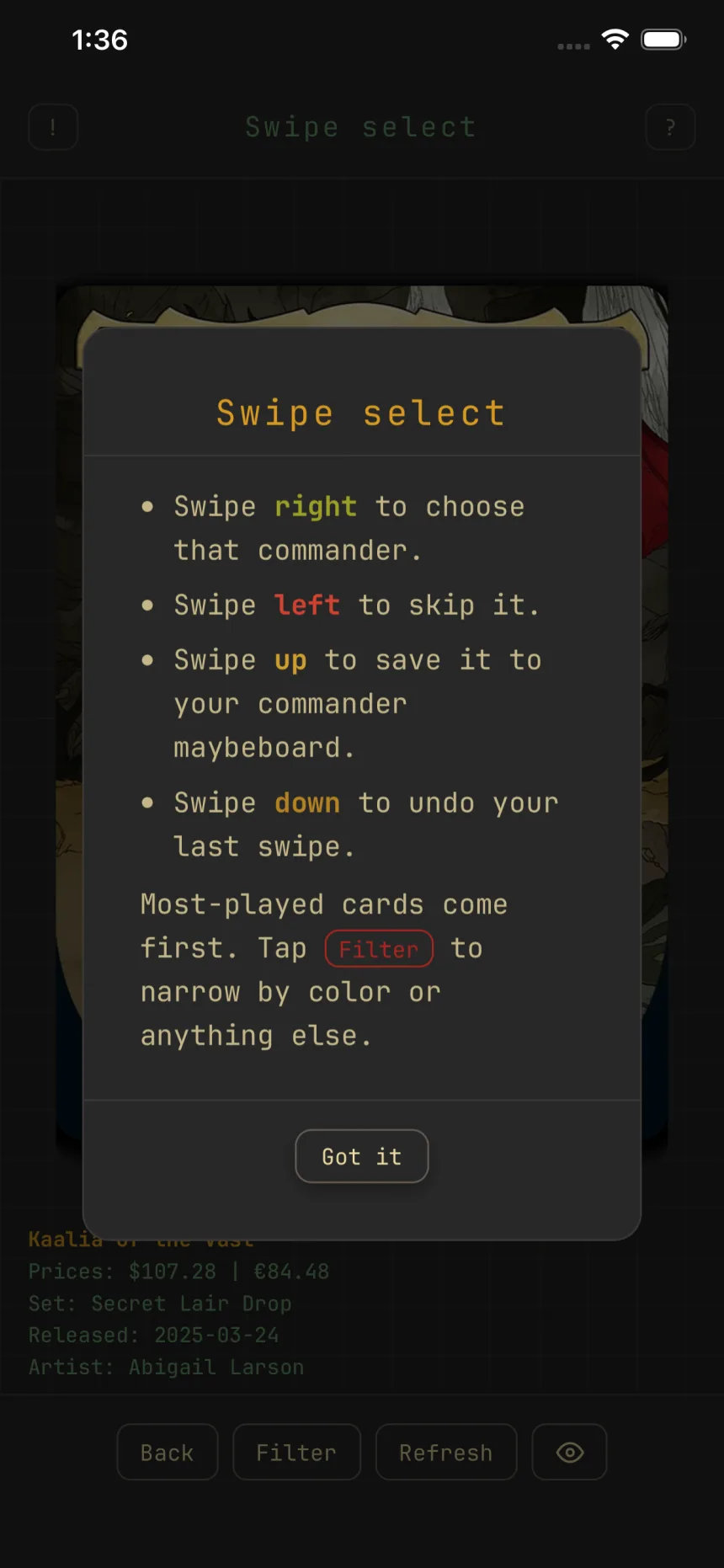
Save commanders for later
Found a commander you like but you're not building it today? Swipe up while picking a commander and it lands on your commander maybeboard, one list shared across your whole account.
Two maybeboards, one word
Every deck has its own maybeboard for cards you might add to that deck. The commander maybeboard is different: it belongs to your account, not any deck, and it holds commanders only.
Save a commander
In any Swipe select picker for a commander, while creating or editing a deck, the up swipe saves the card on top:
- Swipe right to choose it for this deck.
- Swipe left to skip it.
- Swipe up to save it to your commander maybeboard.
- Swipe down to undo your last swipe.
Saving never interrupts the pick: the pile advances and you keep swiping. A down swipe right after takes the save back too. The list holds up to 50 commanders.
The Commander maybeboard screen
Open it from the Decks screen: More, then Commander maybeboard. Saves show newest first as card rows with art (the Art chip hides it). Expand a row for its full details and three actions:
- Create deck starts a new deck with that commander already in the command zone and the format set to Commander.
- Printing swaps which printing shows, and the printing you pick carries into Create deck.
- Remove takes it off the list.
Add without swiping
The Quick add bar searches commanders by name; tap a result to save it on the spot. The color pips and the Filter button narrow the list of saves, same as filtering anywhere else.
Swipe right from the list
The Swipe button deals commanders right on this screen, with your saves left out, so you only see commanders you haven't saved. A right swipe starts a new deck with the pick; up saves it for later, like everywhere else.