In the app
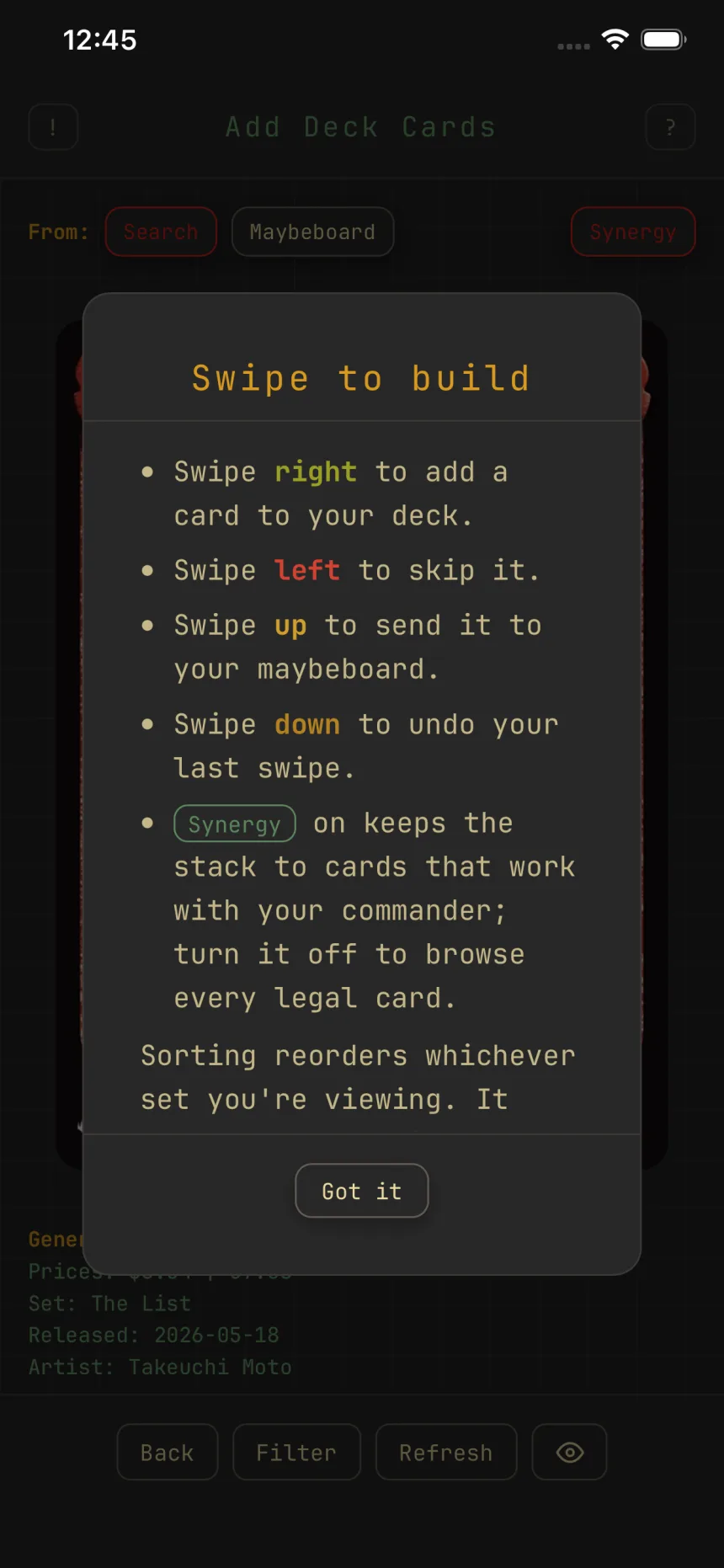
Build a deck by swiping
The Add Deck Cards screen deals cards as a stack, and you decide each with a flick.
The four swipes
A first-visit hint ("Swipe to build") covers the gestures, and the "?" in the header reopens it.
- Swipe right to add the card to your deck.
- Swipe left to skip it.
- Swipe up to send it to your maybeboard.
- Swipe down to undo your last swipe.
Only the top card is interactive, and double-faced cards flip to show the back.
Skips are remembered
A left swipe keeps that card out of this deck's swipe pile, even after you reopen the app. Clear skips in the deck's More menu brings them back. The swipe-memory guide covers this in full.
Synergy
On a commander deck, the Synergy chip keeps the stack to cards that fit your commander, best fits first, 25 at a time. Off, you browse every legal card. It's on by default, and toggling it reloads the stack.
Filter, sort, and the maybeboard
Filter decides which cards are dealt; a dot marks an active filter. Sorting reorders the current set only. The "From:" row swaps the stack to your Maybeboard, where a right swipe promotes a card into the deck. Each source keeps its own filter, and the Maybeboard starts unfiltered.
Undo
Swipe down to undo your last swipe; undoing an add removes the card again, and undoing a skip brings the card back. Your place and undo history travel with each deck, so leaving and returning picks up where you left off. Refresh (or changing the filter) starts a fresh stack and clears the history.