In the app
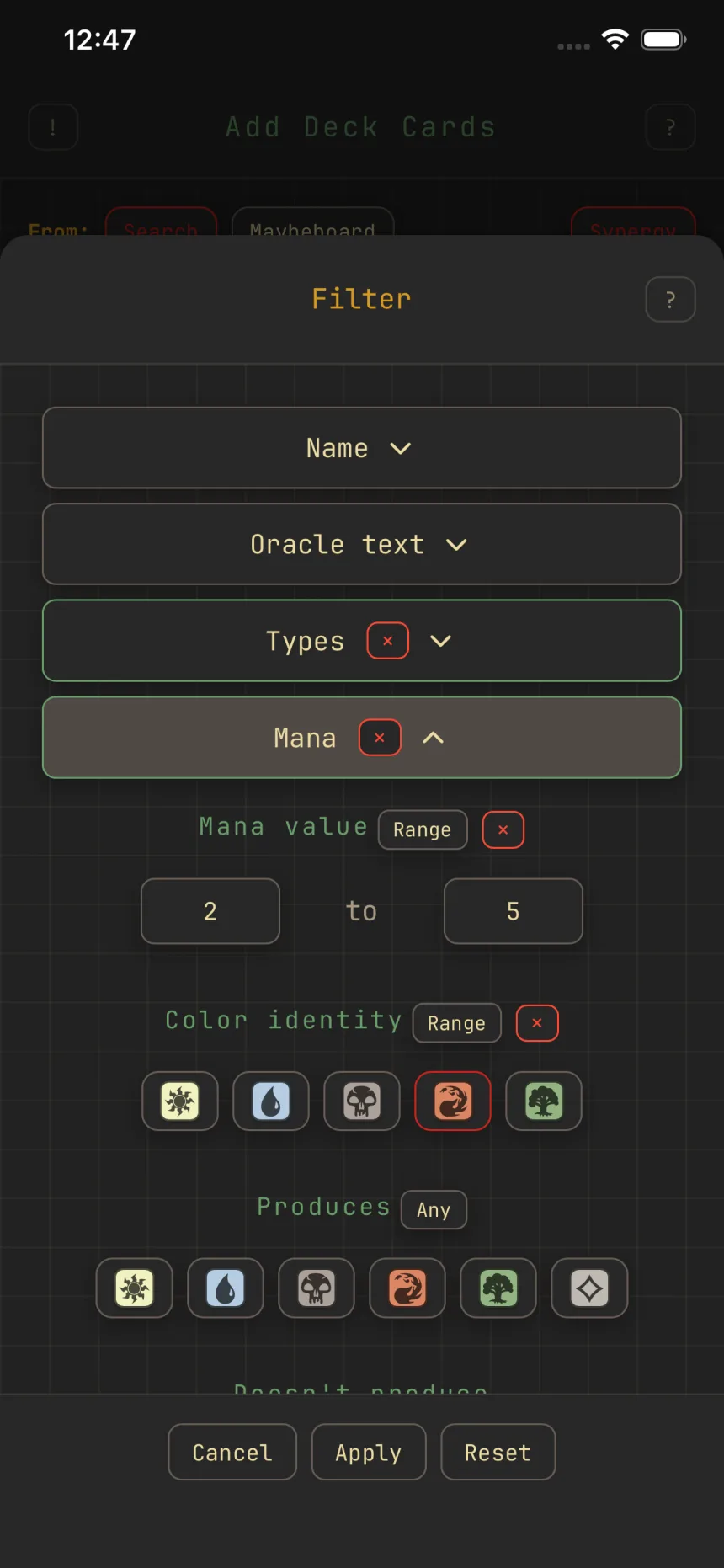
Filter the card pool
Filters decide which cards you see, whether you're adding, browsing, or trimming. The sheet is an accordion, one section per attribute.
What you can filter on
- Name: contains, or doesn't contain.
- Oracle text: rules text contains or excludes; match or exclude specific oracle words or keyword abilities.
- Types: the basic card types, or any type-line word like legendary or dragon.
- Mana: mana value, color identity (exact or within a set of colors), and colors produced.
- Combat: power and toughness, exact or a range.
- Rarity, Set, Artist: include or exclude values.
- Flavor text: contains, or doesn't contain.
- Card roles: 27 strategic roles (Ramp, Removal, Draw, Wipe, and so on).
- Oracle tags: the granular, community-maintained functional tags (spot removal, ramp, reanimation, and thousands more); include or exclude, with a curated set up front and search for the rest.
- Format: Is commander in and Is legal in.
- Price: a currency (USD, EUR, or TIX) with optional min and max.
Combining
Sections combine with AND, so stack as many as you like. A multi-value section's Any/All toggle sets whether a card needs one selected value or all of them, and include and exclude can run at once.
Sorting
Sort by Name, Mana value, Power, Toughness, Rarity, Release Date, Price, Popularity, or Random. Sorting only reorders the set you're looking at; it never changes which cards are eligible. Each screen keeps its own filter and sort for the session, so changing them here never affects another screen.
Defaults and Reset
Every screen starts from a default view, and that default isn't always empty. Reset returns you to it:
- Add cards on a commander deck: your commander's colors, the format's legal cards, in synergy order. Once you hit your land target, lands drop out too.
- Add cards on other formats: the format's legal cards, in default order.
- Pick a commander: every eligible commander, in popularity order.
- Remove and browse: an empty filter, over your deck's own cards.
The dot on the Filter button means you've changed something from that default, a filter or a different sort. Reset undoes the change and drops you back to the default. Synergy is a separate mode, so it stays however you set it.
Card roles
A card role is what a card does, and cards can hold several (Lightning Bolt is Burn and Removal). Zwipe assigns them automatically, so you just pick the roles you want.