In the app
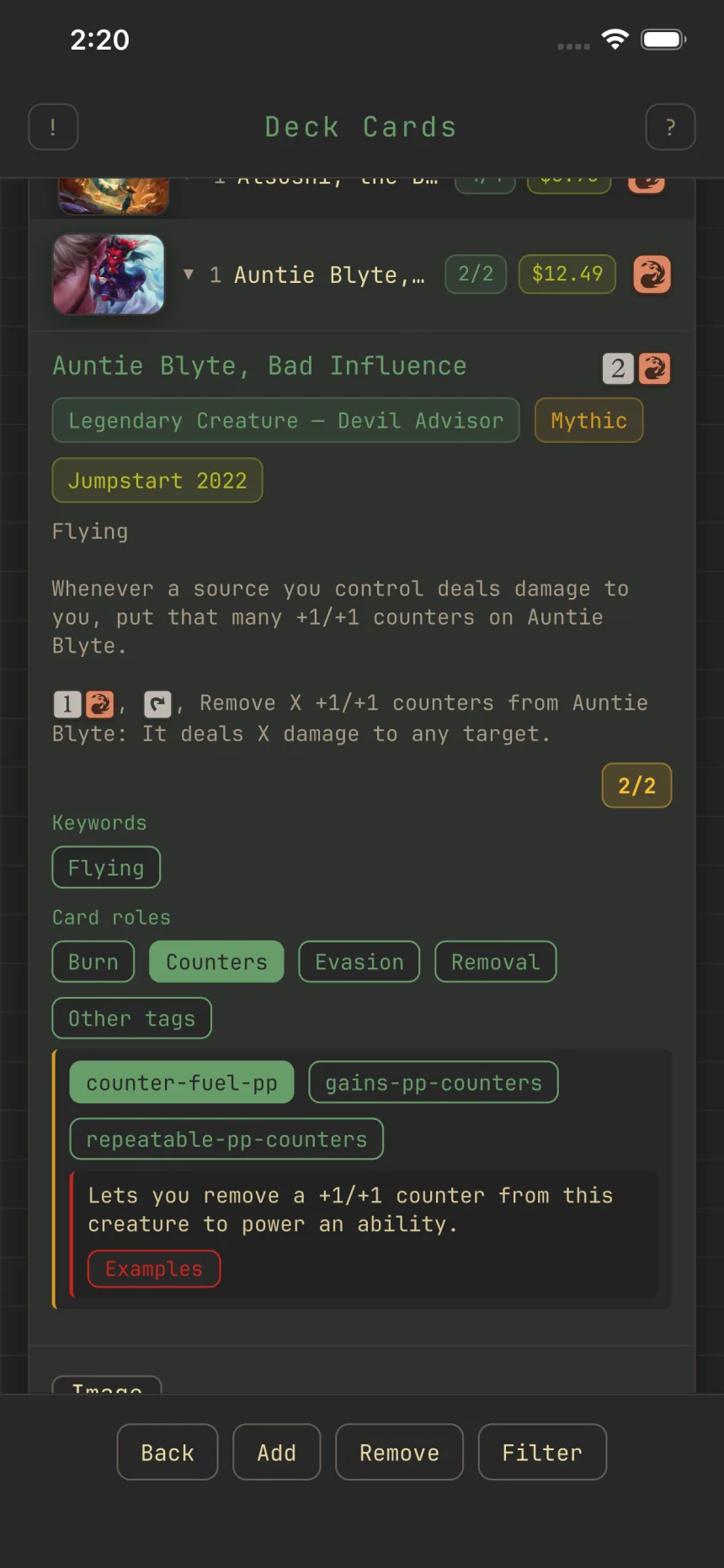
Read a card at a glance
Card roles sum up a card's oracle tags in a few broad labels, like Removal, Ramp, or Card advantage, that tell you what a card does at a glance.
The chips
Expand a card's row and its Card roles chips show every role that card fills. You never pick roles yourself, they're computed from the card's oracle tags.
Drilling down
Tap a role chip to reveal the specific oracle tags underneath it. A trailing "Other tags" chip holds any of the card's functional tags that don't fall under a role.
Role distribution
The deck view's Distributions section includes a Role distribution chart, the same roles as the card chips, but counted across your whole deck, so you can see at a glance where it's thin.