▎▎▉▉▉▉▉▉▉ ▎▎▉▉▉▉▉▉ ▎▎▉▉ ▎▎▉▉ ▎▎▉▉ ▎▎▉▉▉▉▉▉▉▉ ▎▎▉▉▉▉▉▉▉▉
App Store ↗Play Store ↗
  • Guides
  • About
  • Changelog
  • Contribute
  • Community
  • App Store ↗
  • Play Store ↗
Themes
Color blind

In the app


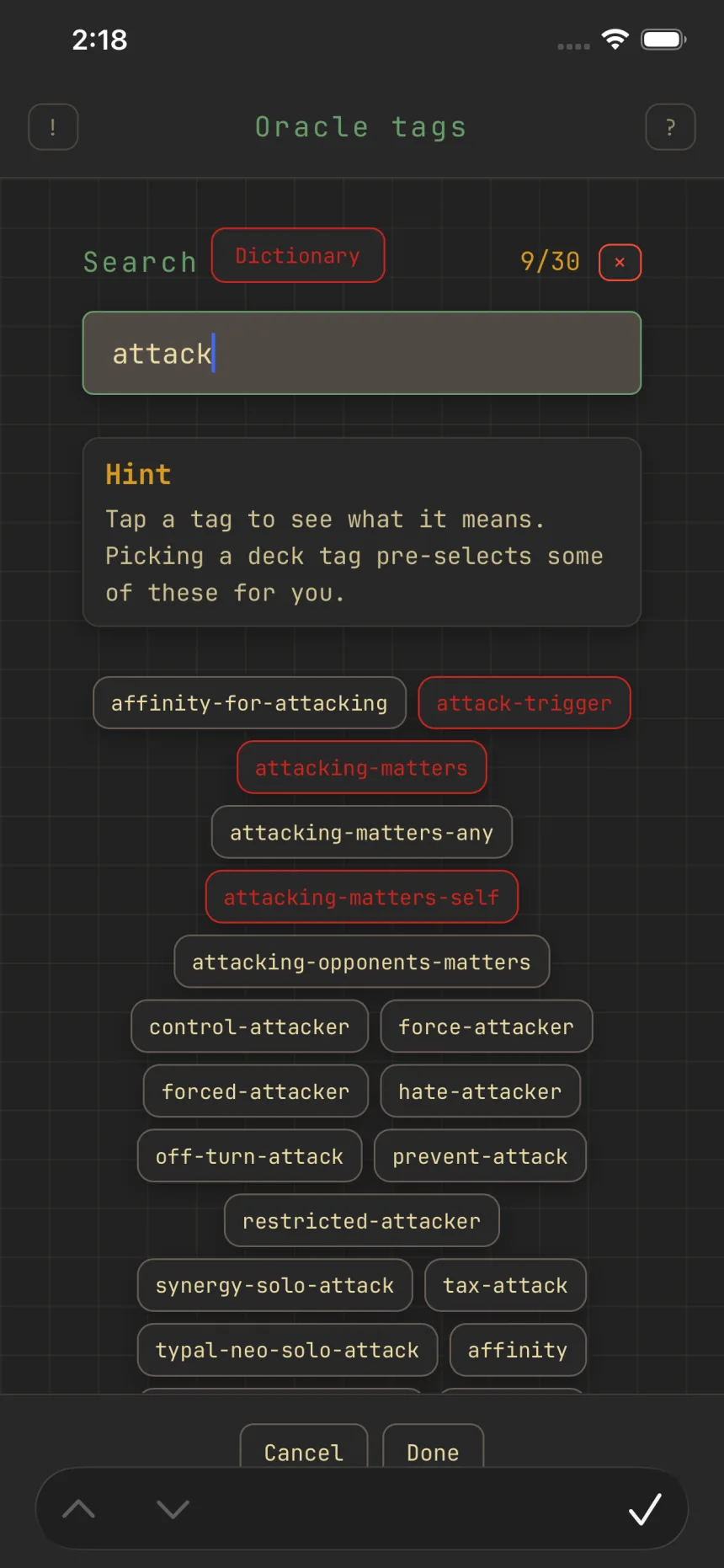
The Oracle tags picker mid-search, matching tags listed with the selected ones outlined

The Oracle tags picker mid-search, matching tags listed with the selected ones outlined1 / 2

Sharpen suggestions with oracle tags

Oracle tagsCards

Oracle tags are the granular, community-maintained tags for what a card actually does: spot-removal, ramp, sacrifice-outlet, and thousands more. Select them on a deck and Zwipe suggests cards that fit them better.

Where they come from

Picking a deck tag (Aggro, Reanimator, Voltron, and so on) auto-selects a starter set of oracle tags for that archetype. Leave them as-is if you're not sure, or open Tags on the edit form to add or remove oracle tags directly.

Selecting them

The Oracle tags field shows a curated set of the most useful tags up front, and search reaches the rest, about 4,500 in all. A deck can hold up to 30.

Not sure what a tag does? Tap Dictionary in the picker to look it up. See Browse the oracle-tag dictionary.

What they do

Selected oracle tags sharpen which cards Zwipe suggests while you swipe, and on a commander deck they contribute to the synergy order alongside your commander. See Synergy-ranked cards.

Deck tags are the quick start; oracle tags let you fine-tune. See Deck tags, card roles & oracle tags: how they fit for how all three connect.

Related guides


Browse the oracle-tag dictionaryRead a card at a glanceDeck tags, card roles, and oracle tags: how they fit

© 2026 Zwipe | Privacy policy | Community

Card data and images from Scryfall.

Zwipe is unofficial Fan Content permitted under the Fan Content Policy. Not approved/endorsed by Wizards. Portions of the materials used are property of Wizards of the Coast. ©Wizards of the Coast LLC.