In the app
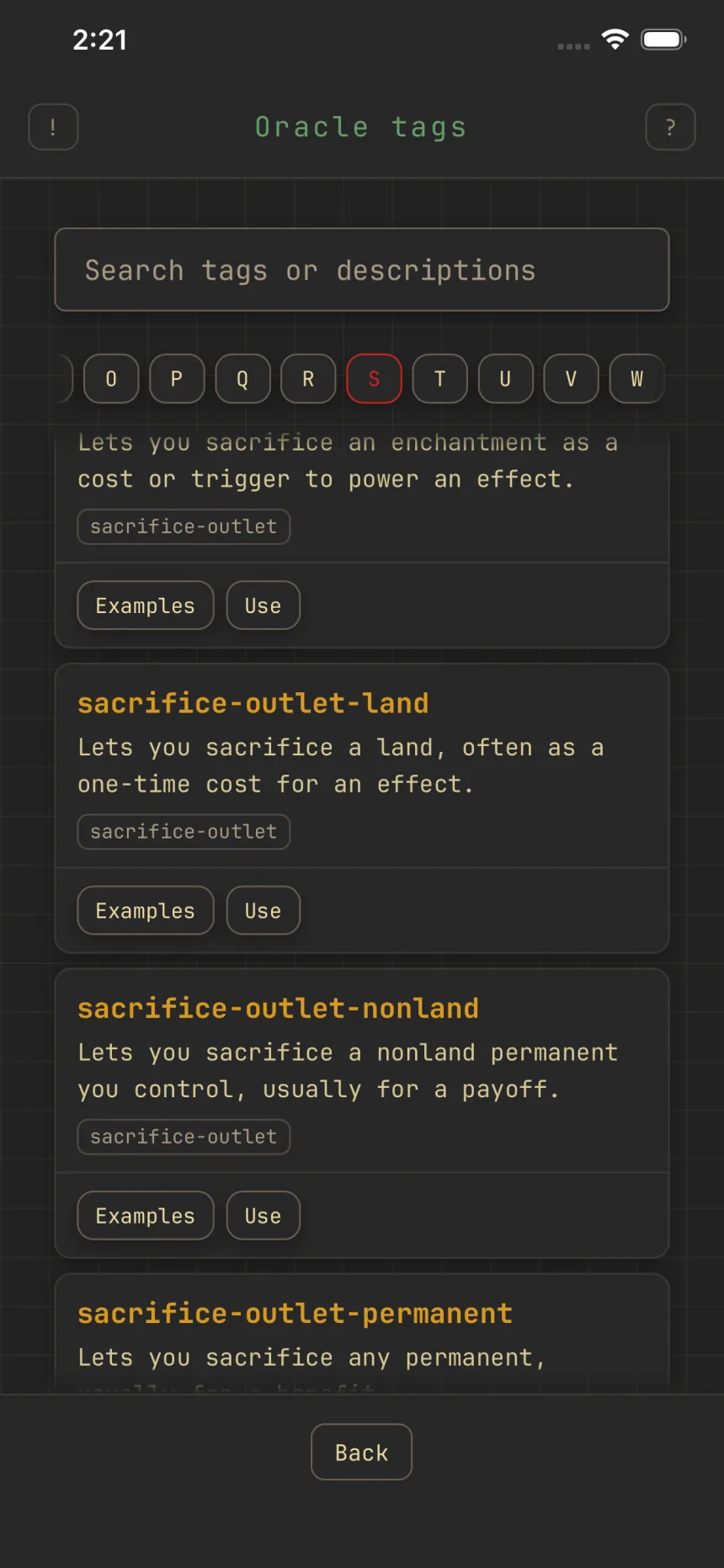
Browse the oracle-tag dictionary
The oracle-tag dictionary covers every oracle tag, about 4,500 in all, each with a plain-language description of what it means.
Opening it
Open the Oracle tags picker from Tags on the deck's edit form, then tap Dictionary next to Search. The picker's help button has a Dictionary button too. The card filter sheet reaches it as well: the Oracle tags section carries its own Dictionary button for include and for exclude.
Browse by letter
An A to Z rail runs across the top, plus a # group for tags that start with a number. Tap a letter to list every tag that starts with it, in alphabetical order.
Search
Type in the search box to match across the whole catalog by tag name or description, not just the letter you're on. A broad search shows the first matches.
What each entry shows
Every row lists the tag's name, its description, and any parent tags it sits under, then two buttons: Examples shows cards that carry the tag, and Use adopts the tag into the deck or filter you opened the dictionary from, without leaving the picker. Every tag has a description written by Zwipe. A tag added since the last pass may read "No description yet" until it gets one.