▎▎▉▉▉▉▉▉▉ ▎▎▉▉▉▉▉▉ ▎▎▉▉ ▎▎▉▉ ▎▎▉▉ ▎▎▉▉▉▉▉▉▉▉ ▎▎▉▉▉▉▉▉▉▉
App Store ↗Play Store ↗
  • Guides
  • About
  • Changelog
  • Contribute
  • Community
  • App Store ↗
  • Play Store ↗
Themes
Color blind

In the app


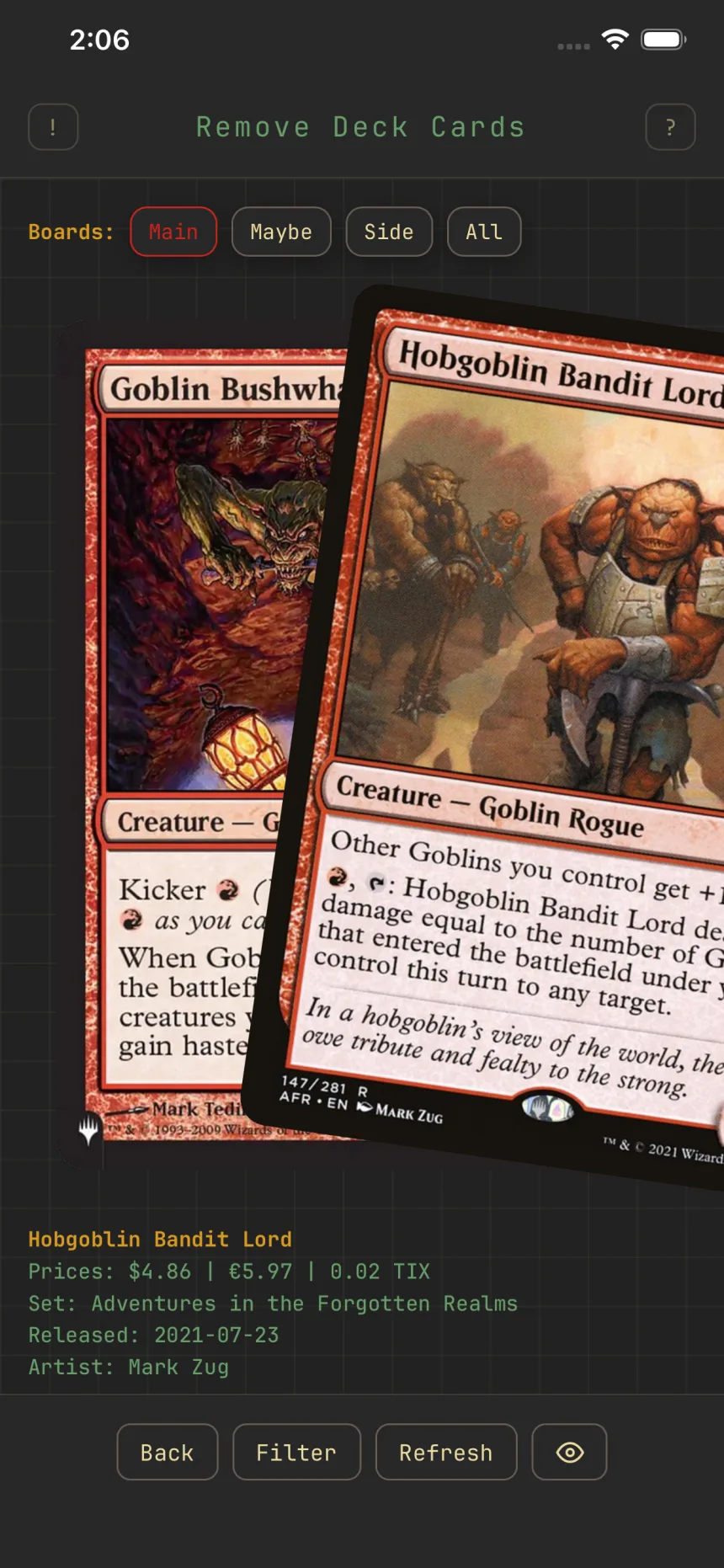
The Remove Deck Cards screen mid-swipe, with the Boards row set to Main above the pile

The Remove Deck Cards screen mid-swipe, with the Boards row set to Main above the pile

Remove cards from a deck

SwipingDeck building

The remove flow is the mirror of building: instead of the whole card pool, it deals only the cards already in your deck.

The four swipes

A first-visit hint ("Swipe to trim") covers them:

  • Swipe right to remove the card from your deck.
  • Swipe left to keep it.
  • Swipe up to move it between boards (to the maybeboard, or a maybeboard card up to main).
  • Swipe down to undo your last swipe.

Boards, filter, and refresh

The Boards row picks the pool you're trimming: Main, Maybe, Side, or All. Filter narrows it further, and Refresh restarts the stack and clears your undo history.

A card you remove also stops showing up when adding to this deck, the same as a skip. Clear the deck's skips to bring removed cards back into the pool.

Related guides


Build a deck by swipingSwipe memory: skips that stick

© 2026 Zwipe | Privacy policy | Community

Card data and images from Scryfall.

Zwipe is unofficial Fan Content permitted under the Fan Content Policy. Not approved/endorsed by Wizards. Portions of the materials used are property of Wizards of the Coast. ©Wizards of the Coast LLC.