▎▎▉▉▉▉▉▉▉ ▎▎▉▉▉▉▉▉ ▎▎▉▉ ▎▎▉▉ ▎▎▉▉ ▎▎▉▉▉▉▉▉▉▉ ▎▎▉▉▉▉▉▉▉▉
App Store ↗Play Store ↗
  • Guides
  • About
  • Changelog
  • Contribute
  • Community
  • App Store ↗
  • Play Store ↗
Themes
Color blind

In the app


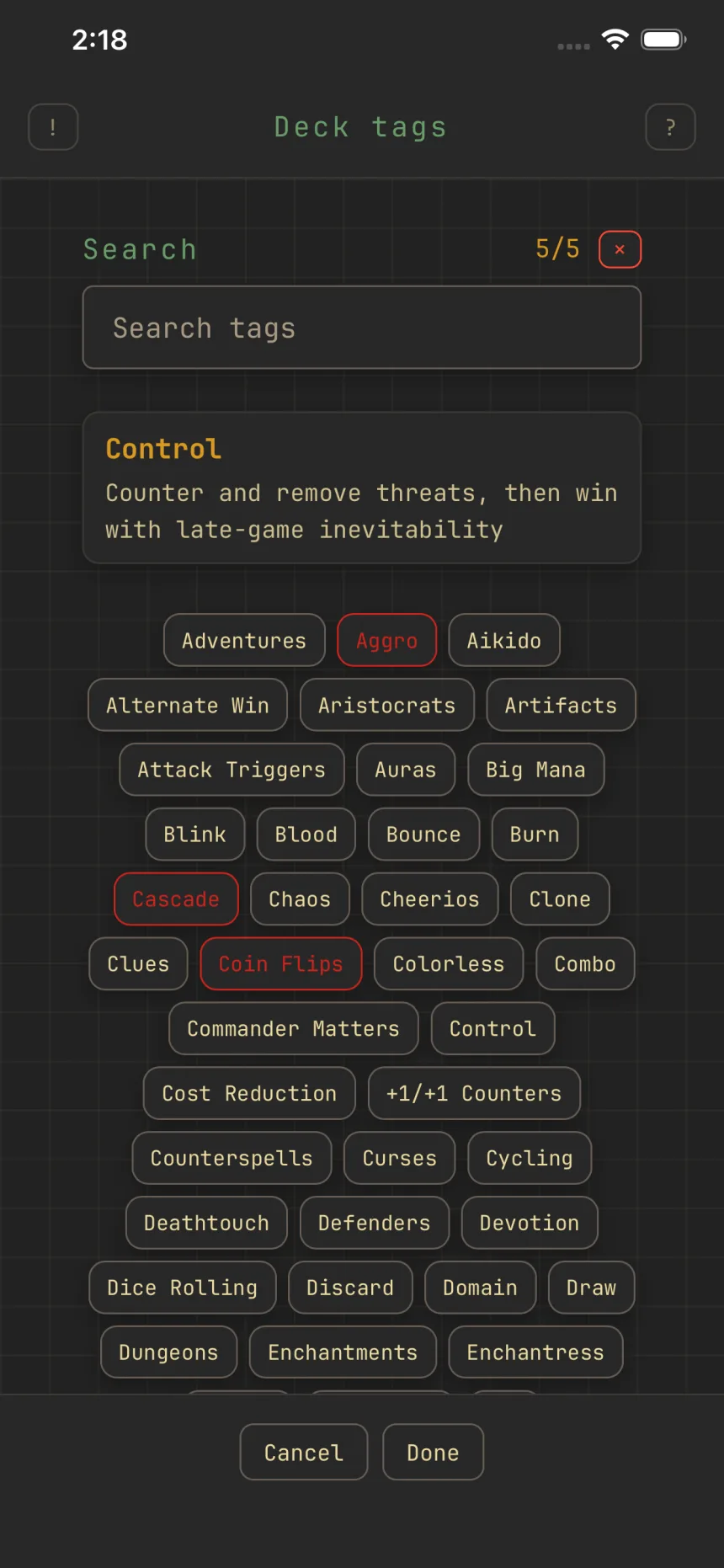
The Deck tags picker at five of five, the tapped tag's definition showing above the alphabetical list

The Deck tags picker at five of five, the tapped tag's definition showing above the alphabetical list

Tag decks by archetype

Deck buildingOracle tags

Tags label a deck's game plan: Aggro, Tokens, Reanimator, Stax, and over a hundred more.

Adding tags

Open Tags from the edit form, then tap to add or remove; each tag shows its definition up top. Search by name, and use × to clear them all.

How many

Up to five tags per deck (shown as N/5), from one flat alphabetical list. Tags are only ever added, never renamed, so old ones keep working.

Tags seed oracle tags

Picking a deck tag auto-selects the oracle tags that define that archetype, so an Aggro tag pulls in things like haste and burn. Those oracle tags are what sharpen the cards Zwipe suggests. See the Oracle tags guide for the full picture.

Related guides


Deck tags, card roles, and oracle tags: how they fitSharpen suggestions with oracle tags

© 2026 Zwipe | Privacy policy | Community

Card data and images from Scryfall.

Zwipe is unofficial Fan Content permitted under the Fan Content Policy. Not approved/endorsed by Wizards. Portions of the materials used are property of Wizards of the Coast. ©Wizards of the Coast LLC.