In the app
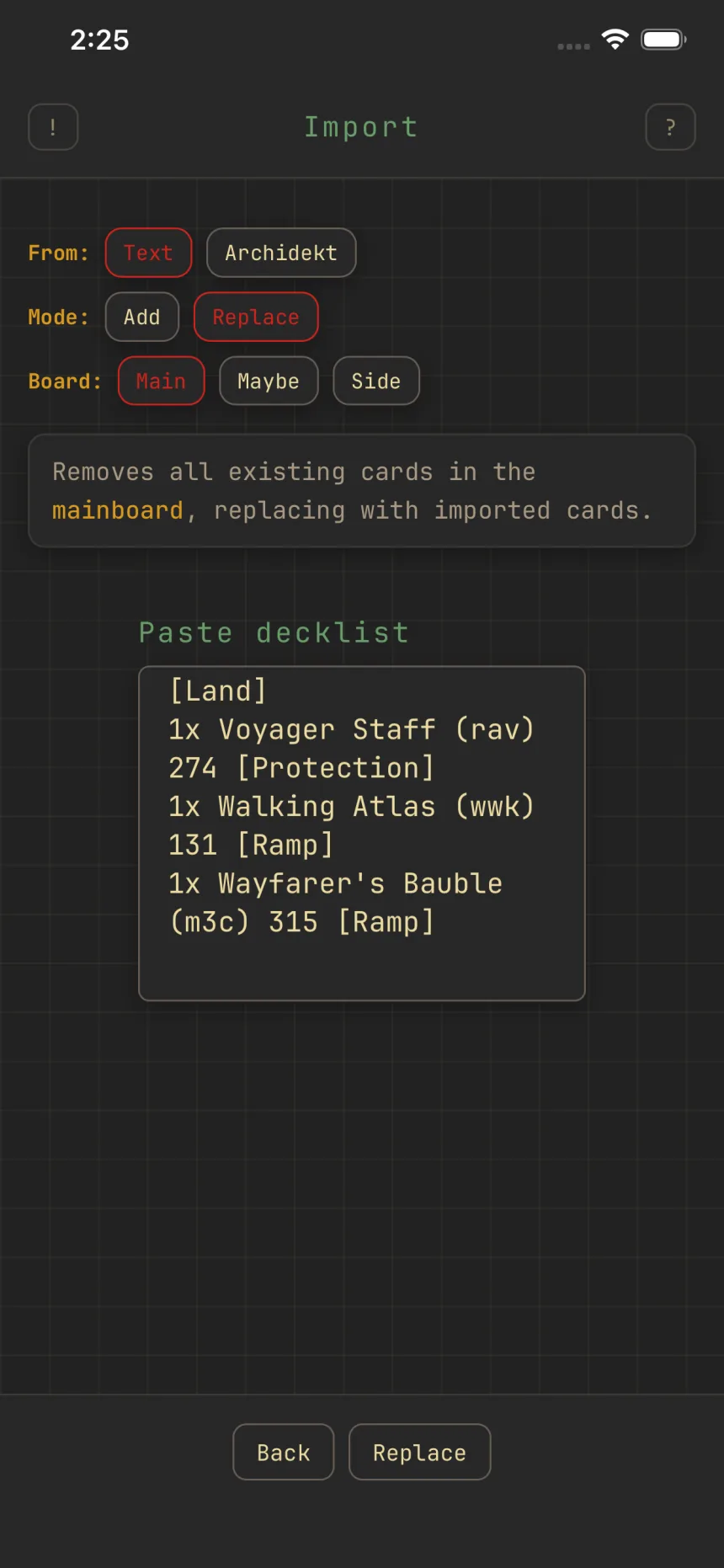
Import and export decklists
Zwipe reads and writes plain decklists, so you can move decks in and out.
Importing
On Import, pick a source (Text, or an Archidekt URL), a Mode (add to or replace the board), and a Board (Main, Maybe, or Side). Text is one card per line, like "1 Sol Ring."
After importing, matched cards show under Imported and anything unmatched under Unresolved, each with a reason.
Exporting
Export builds a plain decklist with Commander, Deck, Maybeboard, and Sideboard sections. Toggle which boards to include, then tap Copy.