In the app
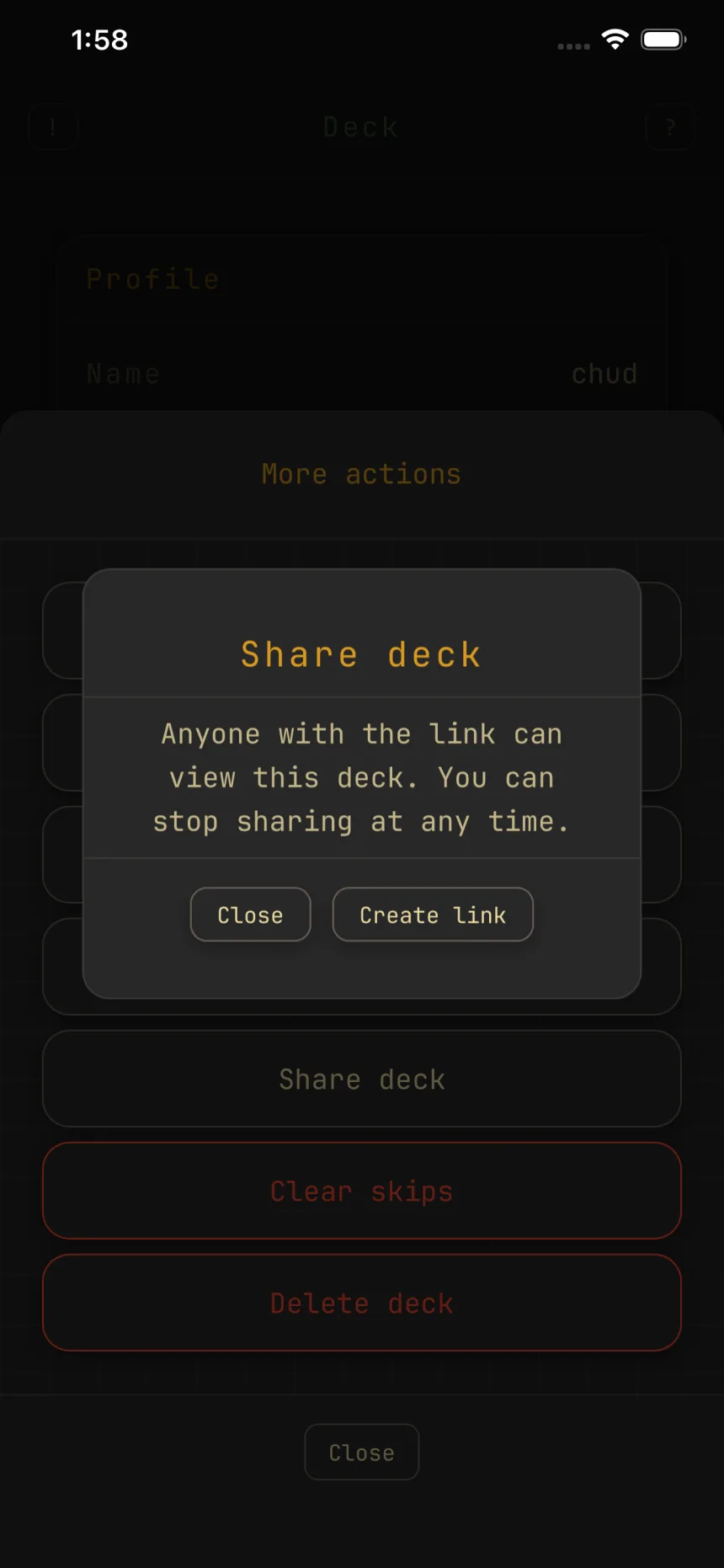
Share a deck with a link
Any deck can go public with one link. Whoever you send it to opens it in a browser, no account or app on their end.
Create the link
- Open the deck and tap More.
- Tap Share deck, then Create link.
- The link copies to your clipboard, ready to paste anywhere.
The link lives at zwipe.net and stays up until you turn it off. Come back to the same dialog for Copy link whenever you need it again.
What viewers see
The page mirrors your deck view. Name, format, and tags sit up top, your commander and starred MVPs show as card images (tap one for the full art), and the deck's numbers sit in the same collapsible sections the app has: Budget, Tags, Distributions, Mana, and Draw odds.
Below that is the full card list with the Group by, Show, and Filter by controls, expandable rows, collapsible group headers, and a section for the tokens your cards make.
Stop sharing
Same dialog, Stop share. The link stops working right away. Sharing again later makes a new link, so the old one stays broken wherever you posted it.