In the app
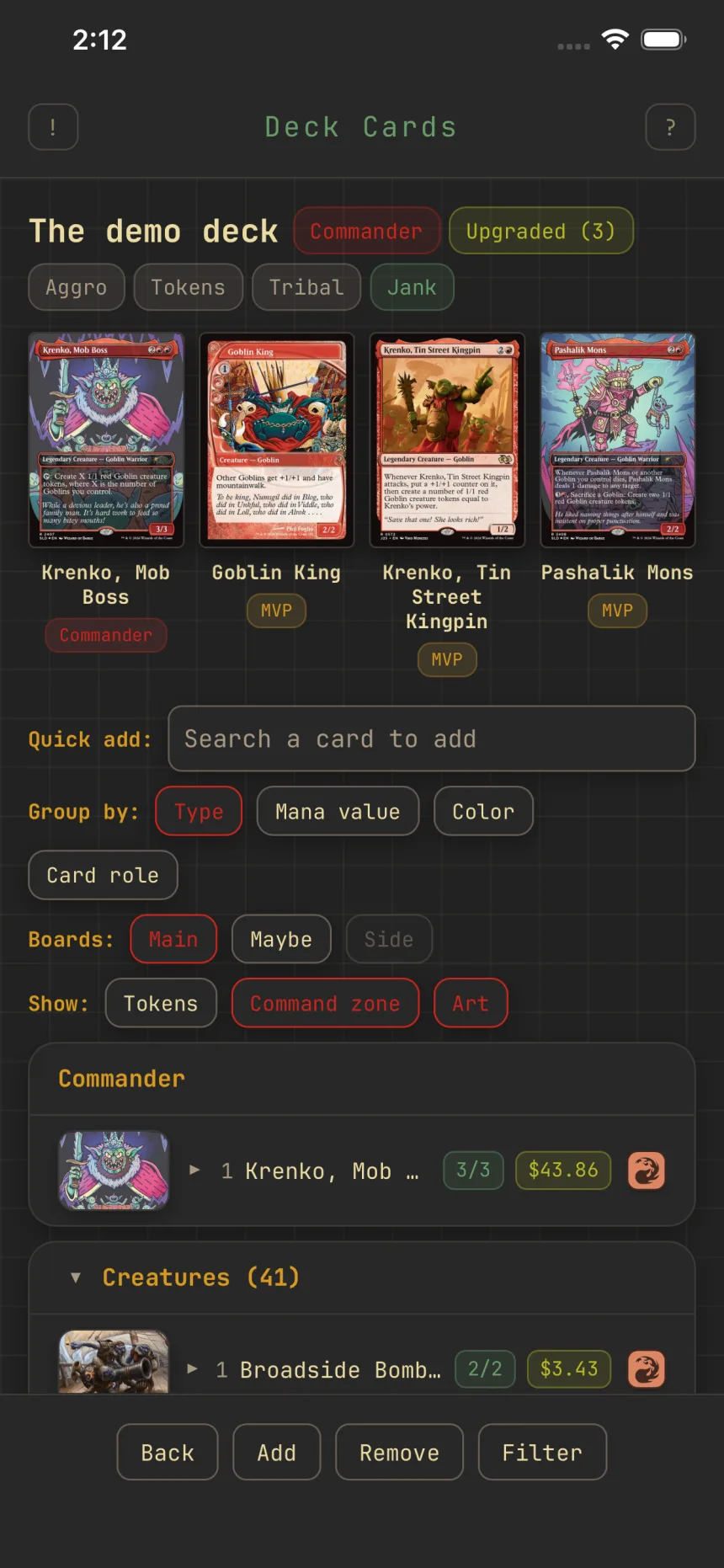
Star your deck's MVPs
Every deck has a few cards that define it. Star up to three of them as MVPs, and Zwipe leans that deck's suggestions toward what you starred.
Star a card
In a deck's card list, tap a card to expand its row, then tap Star. A gold ★ shows on the row so your MVPs read at a glance, and Unstar frees the slot.
Three per deck
Each deck holds three MVP slots. Once three are starred, Zwipe turns down a fourth ("This deck already has 3 MVPs"), so promoting a new one means unstarring one first. Three keeps MVPs to the cards that define the deck.
What a star does
Beyond marking the card in the list, your MVPs tell Zwipe what this deck is about, so it leans this deck's suggestions toward them. Stars are per deck, so one deck's MVPs never affect another's.
Removing and cloning
Removing a card, or moving it off the mainboard, clears its star and frees the slot. Cloning a deck carries its MVPs along. Exported decklists leave stars out, since a marker would break pastes into other apps, so MVPs travel by clone rather than by export.